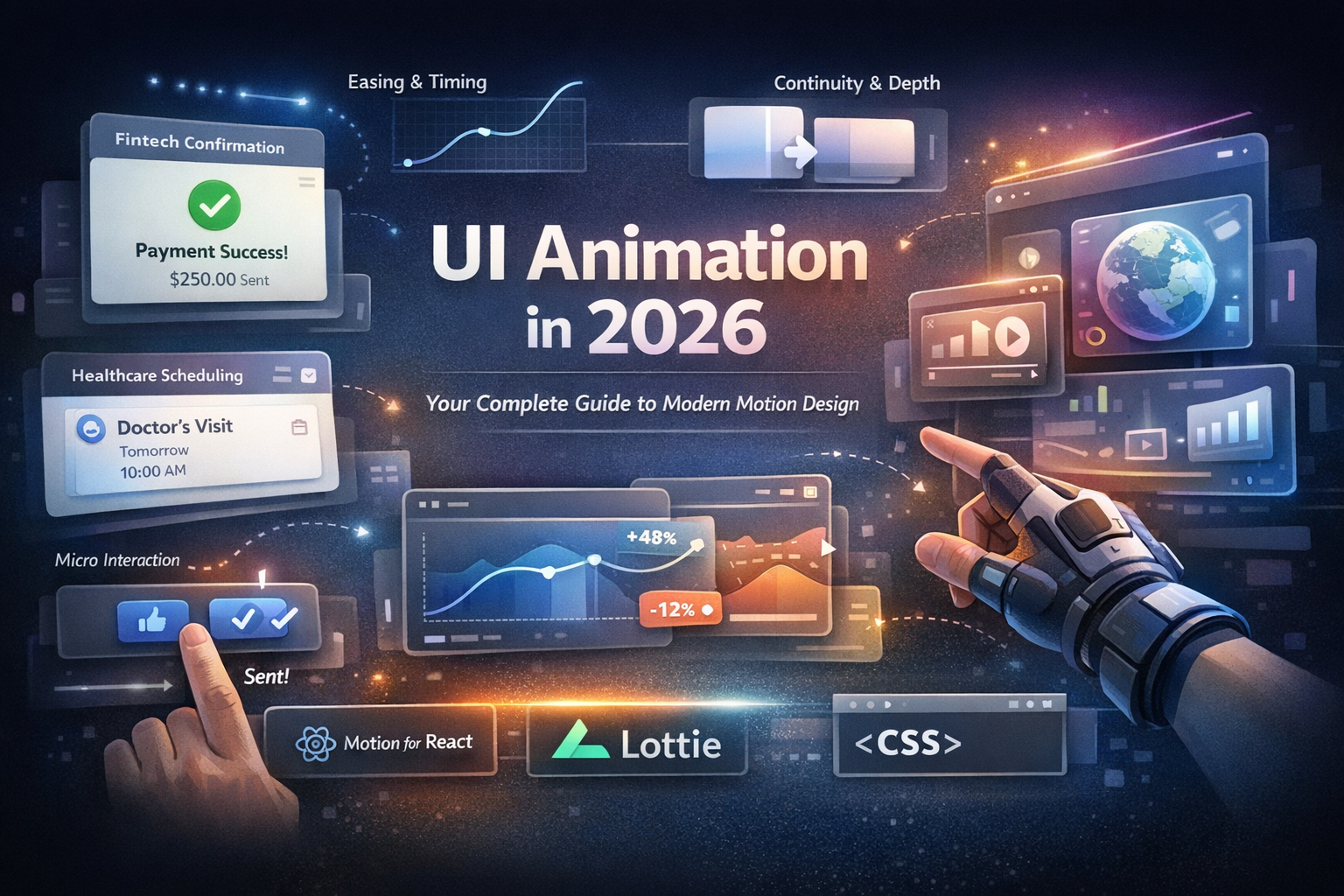

Why Talented Designers Still Struggle to Land UI UX Designer Jobs
Many people pursuing UI/UX designer jobs are not struggling because they lack taste or creativity. The real issue is that their work does not communicate value quickly enough.
Hiring teams review dozens of portfolios every day. They scan fast. If your proof of skill is slow to understand, overly generic, or buried inside long case studies, your work may never get a proper look.
A common frustration designer express sound like this:
“My work is good, but my portfolio looks like everyone else’s. My resume gets ignored. I can design screens, but I’m not sure what companies actually care about anymore.”
This concern is valid. Most hiring managers do not read every line of a long case study during the first review. Instead, they focus on a few signals:
• Visual quality
• Product judgment
• Clear hierarchy and spacing
• Interaction realism
• Evidence that the designer understands real product behavior
Modern design career guidance consistently emphasizes clarity and concise presentation rather than long storytelling.
[pvideo]https://vz-3c1a5a04-1ac.b-cdn.net/7d22d17d-2e38-45d0-a296-bf562758c166/playlist.m3u8[/pvideo]
The real problem with generic career advice
Most career advice repeats the same points:
• Build a portfolio
• Learn Figma
• Show your process
• Network
None of this advice is wrong. The problem is that it is incomplete.
The difference between a good portfolio and a hireable portfolio lies in proof of real product thinking. In 2026, companies expect more than static screens.
Designers now need to demonstrate:
• Interaction quality
• State logic and feedback
• Design system thinking
• Collaboration readiness with developers
Figma documentation reflects this shift. Modern workflows rely heavily on Smart Animate, variables, interactive components, and Dev Mode because product design increasingly revolves around behavior, transitions, and clear developer handoff.
What this guide will do differently
This guide focuses on what hiring teams can verify quickly:
• Your UI/UX design skills
• Your UI/UX portfolio quality
• Your UI/UX resume clarity
• The interview questions designers are actually asked
• How motion and prototypes increase hiring confidence
You will also see how designers use Ripplix as a UI animation inspiration library, exploring polished interaction patterns and motion ideas they can reference when designing product interfaces.
Modern portfolios are evolving. Large case studies are fading in importance. Hiring managers prefer strong visuals, short context, and quick navigation.
Why UI/UX Designer Jobs Feel Harder in 2026
The market is selective, not dead
The design job market feels more difficult today because employers have become more selective. Design itself remains highly valuable.
Companies want designers who can:
• Improve product outcomes
• Collaborate smoothly with engineering teams
• Demonstrate product thinking beyond visuals
Salary data confirms continued demand. Recent averages suggest:
• Indeed: approximately $104,112 average UX/UI salary in the United States
• Glassdoor: approximately $103,000 average salary for UI/UX designers
These numbers show that companies still invest heavily in designers who reduce product risk.
What hiring managers scan first
During an initial portfolio review, hiring managers usually look for:
• Strong visual craft
• Clean hierarchy and spacing
• Product sense
• Realistic interface states
• Simple portfolio navigation
• Resume titles that match the job listing
Large case studies might matter later. Early reviews prioritize quick proof.
Hiring managers want to see strong screens, brief context, and real interaction logic.
How salary, specialization, and tools intersect
Your UI/UX designer salary potential often depends on how clearly you solve a business problem.
Generalists can succeed. However, specialization can sharpen your value.
Designers who specialize in areas such as the following often stand out:
• SaaS dashboards
• Growth flows and onboarding
• Design systems
• Mobile onboarding experiences
• Data-heavy product interfaces
Tool fluency matters as well. However, employers care less about tool lists and more about how you use them.
For example:
• Smart Animate for state transitions
• Variables for conditional behavior
• Interactive components for scalable design systems
• Dev Mode for clean developer handoff
Why clickable proof beats static polish
Beautiful screens attract attention. Clickable prototypes build trust.
When recruiters can tap a button, trigger a loading state, and see a panel transition, they instantly understand how you think about product behavior.
A recruiter often learns more from twenty seconds of interaction than from three paragraphs of explanation.
Designers often explore UI animation references from libraries like Ripplix to understand how real product interactions such as button feedback, loading states, and panel transitions should feel.
What Actually Gets Designers Hired
Choose your design lane
Before updating your portfolio or resume, decide which role you are targeting.
Possible paths include:
• UI/UX Designer: combines interface design and user flow thinking
• Product Designer: broader ownership, including product strategy
• UX Designer: stronger focus on research and user journeys
• UX Engineer hybrid roles: require deeper front-end awareness
Your portfolio headline, resume title, and case studies should align with your chosen role.
UI/UX skills employers test
Employers rarely judge designers purely through keywords. They evaluate work samples and problem-solving ability.
Core skills repeatedly tested in interviews include:
• Visual hierarchy and spacing
• Typography and color usage
• Interaction design for states and transitions
• Wireframing and user flow thinking
• Design system logic
• Prototyping in Figma
• Communication with product managers and engineers
• Decision making under constraints
• Accessibility awareness
• Product judgment
Interview preparation resources from companies such as Coursera and Indeed confirm that many questions focus on tradeoffs, collaboration, and reasoning.
Building a Portfolio That Gets Attention
A strong UI/UX portfolio in 2026 must be easy to browse and difficult to doubt.
Portfolio structure that works
Use the following structure.
Landing Page
• Clear title and positioning statement
• Featured project highlights
Project Selection
• Two to four strong projects
• Quality matters more than quantity
Fast Project Cards
Each card should quickly show:
• The problem
• Your role
• Tools used
• Outcome or impact
Proof Over Performance
Use real projects when possible. If a project is conceptual, label it honestly.
Short Case Studies
Avoid extremely long storytelling. Show thinking through:
• Before and after visuals
• Flow diagrams
• Short captions
Interaction Evidence
Include:
• GIF clips
• Embedded prototypes
• Short motion demonstrations
Results or Reflection
Metrics help, but clear reasoning matters too.
Writing a Resume That Gets Clicked
Your UI/UX designer resume has one primary job. It must lead recruiters to your portfolio.
Follow these guidelines:
• Keep the resume to one page when possible
• Place the portfolio link near the top
• Align your title with the job listing
• Focus on outcomes rather than tool lists
A strong bullet point looks like this:
Redesigned mobile checkout flow for a subscription product, reducing friction in address entry and improving completion rate by 11%.
A weak bullet point sounds like this:
Responsible for UI/UX design using Figma and Adobe XD.
The first example communicates value. The second lists tools.
UI/UX Interview Questions and What They Really Test
Many interview questions appear simple. In reality, they reveal how you think.
Common questions include:
• Walk me through your design process
• How would you improve our product
• How do you collaborate with developers
• Tell me about a design decision you changed
• What matters more: user needs or business goals
Each question tests something different.
• Communication clarity
• Product observation skills
• Collaboration style
• Decision making
• Understanding tradeoffs
Smart Animate: Turning Static Screens Into Hiring Proof
How Smart Animate works
Smart Animate compares matching layers between frames and animates their differences.
The system relies on three key conditions:
• Matching layer names
• Similar layer hierarchy
• Supported property changes
If those conditions break, animations often appear jumpy.
Step-by-step transition example
Create a simple card to detail interaction.
- Create a card layout in Frame A.
- Duplicate the frame.
- Expand the card into a detail view in Frame B.
- Keep all layer names identical.
- Add a prototype connection between the frames.
- Select Smart Animate with an ease-out curve around 300 milliseconds.
This simple interaction demonstrates product thinking far better than static mockups.
Motion timing guidelines
Good motion helps users track changes.
Typical timing ranges:
• Small feedback interactions: 150 to 220 milliseconds
• Panels and sheets: 250 to 350 milliseconds
• Large spatial transitions: slightly longer but still responsive
Motion should guide understanding, not distract.
Fixing glitchy Smart Animate prototypes
If animations feel broken, check the following:
• Layer names match exactly
• Layer hierarchy remains consistent
• Unnecessary property differences are removed
• The file size remains manageable
Large files often reduce prototype performance.
Pro Tip
Animate one idea at a time. One polished interaction communicates more than several messy ones.
Common Mistake
Extremely long animations for small actions can make interfaces feel slow.
Micro Interactions Hiring Managers Notice
Button states
Buttons reveal a lot about design maturity.
A well-designed button includes several states:
• Default
• Hover
• Pressed
• Disabled
• Focus
• Loading
• Success
You explain button states but do not reference Ripplix.
Core interaction patterns
Designers should demonstrate interaction quality in patterns such as:
• Toggles
• Tabs
• Accordions
• Bottom sheets
These patterns show understanding of behavior and usability, not just visuals.
Important product states
Real products contain more than happy paths.
Strong portfolios also show:
• Loading states
• Success confirmations
• Empty states
• Error recovery experiences
These scenarios demonstrate real product thinking.
Micro interaction example
A simple interaction sequence might include:
- User hovers over a Save button
- Button slightly lifts with subtle shadow
- User clicks
- Button compresses and enters the loading state
- Spinner appears briefly
- Success checkmark replaces spinner
- Confirmation toast appears
This small sequence demonstrates state logic, feedback timing, and user clarity.
Pro Tip
Pair interaction clips with a short explanation describing the user problem solved.
Advanced Techniques Designers Often Miss
Variables for smarter prototypes
Figma variables allow prototypes to simulate conditional behavior.
Examples include:
• Switching states dynamically
• Tracking user choices
• Creating conditional flows
Many designers also explore animation reference libraries like Ripplix when refining interaction timing and motion behavior for real interfaces.
Interactive components
Interactive components help designers build reusable systems.
A button component can include variants such as:
• Default
• Hover
• Pressed
• Disabled
• Loading
This approach keeps prototypes scalable and clean.
Developer collaboration with Dev Mode
Dev Mode helps developers inspect design specifications directly.
It provides access to:
• Component variants
• Design tokens and variables
• Layout properties
• Developer annotations
Designers who understand Dev Mode communicate more effectively with engineering teams.
Keeping prototypes performant
Heavy prototypes weaken presentations.
Improve performance by:
• Reusing components
• Simplifying nested structures
• Separating experiments from polished flows
• Removing unnecessary interactions
How Ripplix Helps Designers Work Faster
Why manual animation can slow you down
Understanding animation principles is essential. However, building every motion detail manually takes time.
Portfolio case studies, onboarding flows, and landing page interactions often require multiple polished animations.
That workload can slow designers significantly.
Where Ripplix fits into the workflow
Ripplix works as a UI animation inspiration library, helping designers explore interaction ideas and motion patterns they can reference when designing interfaces.
It is especially helpful for:
• Button hover states
• Loading indicators
• Onboarding transitions
• Feedback interactions
• Landing page motion patterns
Instead of rebuilding every animation from scratch, designers can reference proven interaction styles.
Best use cases
Ripplix is particularly useful for:
• Portfolio case studies
• Product landing pages
• Onboarding experiences
• Success and empty states
These moments often determine whether a design feels polished.
Helping designers and developers collaborate
Ripplix also improves designer-developer communication.
Instead of vague instructions such as:
“Make this animation smoother.”
Designers can reference real UI animation examples from Ripplix and discuss:
• Timing
• Easing
• State transitions
This clarity speeds up implementation.
Frequently Asked Questions
Is UI/UX design still a good career in 2026?
Yes, but the market is more selective than before. Companies still need designers, but they want people who can do more than make attractive screens. Designers who understand product strategy, user behavior, interaction design, systems thinking, and team collaboration have a better chance of getting hired and growing faster.
How can AI help me get UI/UX designer jobs faster?
AI can help you move faster by speeding up idea generation, UX writing drafts, research summaries, and early wireframe exploration. That gives you more time to focus on what actually gets you hired: better design decisions, stronger portfolio projects, and clearer presentation of your work.
What are common interview questions for UI/UX designer roles?
Common questions include: “Walk me through your portfolio,” “How do you handle feedback?”, “How do you work with developers?”, “How do you improve a weak user flow?”, and “Tell me about a design decision you changed?” These questions usually test product thinking, communication, collaboration, and how well you explain your design choices.
What should I include in a UI/UX designer resume?
Your resume should include a clear job title, portfolio link, relevant tools, work experience, project impact, and design-related achievements. Focus on results instead of listing tasks. Show what you improved, what problems you solved, and how you worked with teams. Keep it clean, tailored, and easy to skim.
Conclusion
The hiring edge for 2026
The strongest advantage in modern UI/UX hiring is clear proof of capability.
Designers who demonstrate the following consistently stand out:
• Strong visual craft
• Concise case studies
• Realistic interaction states
• Clear developer collaboration thinking
• Polished interface motion
A designer with strong proof and a clean presentation will often outperform someone with longer explanations but weaker evidence.
Learn the craft and then accelerate
Understand the fundamentals:
• Smart Animate
• Variables
• Interactive components
• Dev Mode collaboration
Build a portfolio that is easy to scan. Keep your resume concise. Practice interview questions that test reasoning.
Then accelerate where it makes sense.
Explore Ripplix
Explore UI animation inspiration on Ripplix, including interaction patterns that can inspire your next portfolio piece, landing page animation, or product interface.
Explore patterns such as:
• Button hover interactions
• Loading indicators
• Feedback states
• Onboarding transitions
Small interaction details can make your work feel more polished, more believable, and more hireable.